
The 2026 Backend Developer Roadmap
Backend development is simple, you just need to learn these..


👉AI Engineer learning track (Sponsored)

Datacamp’s AI Engineer learning track covers APIs, LLM apps, LangChain, and vector databases. You can use this to learn useful skills like how to integrate AI into Software applications using APIs and Open source library.
Start your journey to becoming an AI Engineer today!
It also prepares you for the professional certification like AI Engineer for Developers Associate Certification
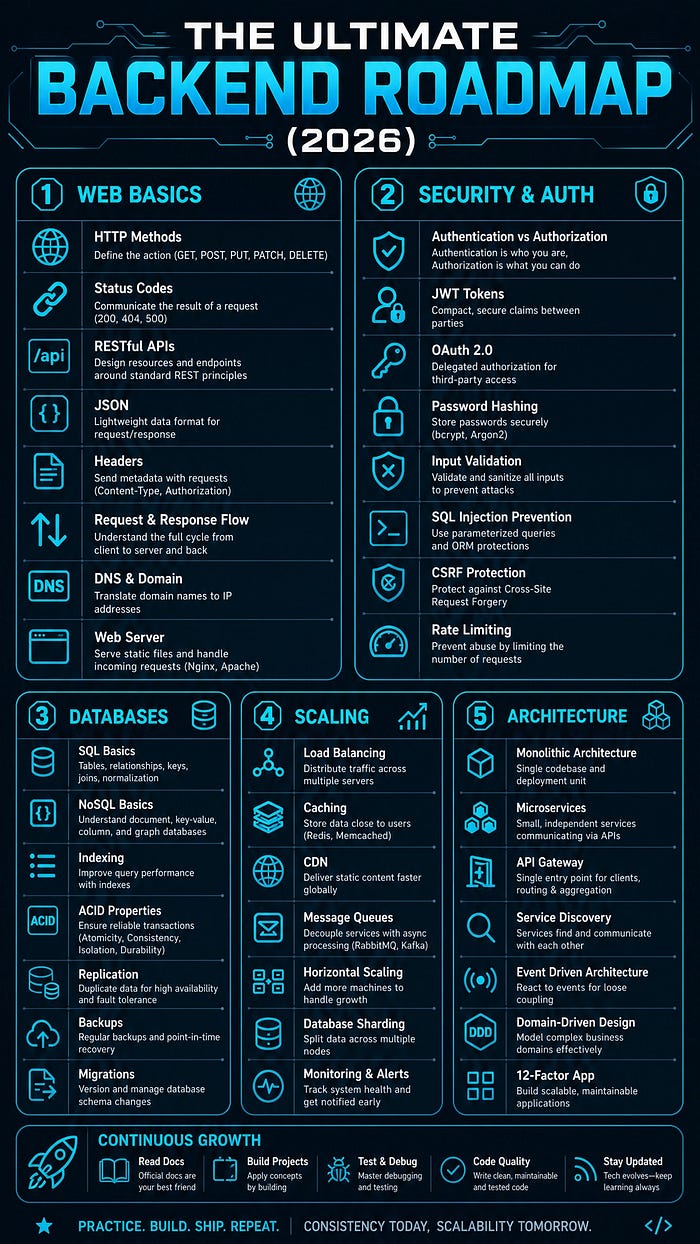
Backend development might seem intimidating. There are frameworks, databases, APIs, authentication systems, deployment strategies, and countless architectural patterns.
But here’s the secret: Backend development is built on a small number of fundamental concepts.
Master those fundamentals, and everything else becomes logical extensions of them.
In this guide, I’ll walk you through every major concept in backend development — from HTTP requests to Kubernetes orchestration. Not as disconnected topics, but as building blocks that fit together into a complete system.
By the end, you’ll understand what every backend engineer needs to know in 2026.
Part 1: HTTP Fundamentals
Every backend system communicates through HTTP. Understanding this protocol is foundational.
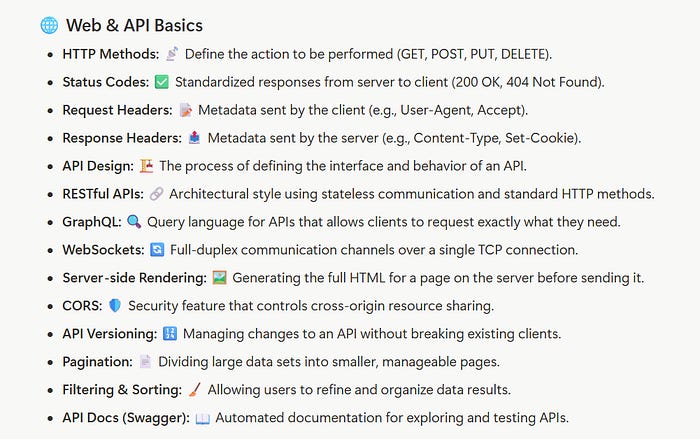
HTTP Methods
HTTP methods define the action being performed:
GET — Retrieve data (safe, idempotent)
POST — Create data (not safe, not idempotent)
PUT — Replace entire resource (idempotent)
PATCH — Partially update resource (not idempotent)
DELETE — Remove data (idempotent)
HEAD — Like GET, but no response body
OPTIONS — Describe communication options
Status Codes
Status codes communicate the result of a request:
2xx Success:
200 OK — Request successful
201 Created — Resource created
204 No Content — Success, no response body
3xx Redirection:
301 Moved Permanently — Permanent redirect
302 Found — Temporary redirect
304 Not Modified — Use cached version
4xx Client Error:
400 Bad Request — Invalid request
401 Unauthorized — Authentication required
403 Forbidden — Authenticated but not authorized
404 Not Found — Resource doesn’t exist
429 Too Many Requests — Rate limit exceeded
5xx Server Error:
500 Internal Server Error — Server crashed
502 Bad Gateway — Invalid upstream response
503 Service Unavailable — Server overloaded
Request and Response Headers
Headers provide metadata about HTTP messages:
Common Request Headers:
Authorization— Authentication credentialsContent-Type— Body data format (application/json, etc.)User-Agent— Client informationAccept— Desired response formatCookie— Session dataX-Forwarded-For— Original client IP
Common Response Headers:
Content-Type— Response body formatSet-Cookie— Session cookieCache-Control— Caching instructionsETag— Resource version identifierLocation— Redirect destinationWWW-Authenticate— Authentication challenge
Here is a quick summary to remember these concepts:
Part 2: Authentication & Authorization
These are different concepts frequently confused:

 | A guest post by
|